4 best resume builder apps for Mac in 2026

The best resume builder for MacBooks in 2026 is CV Engineer for users who want a native macOS experience, recruiter-written advice, and AI-powered resume improvements.
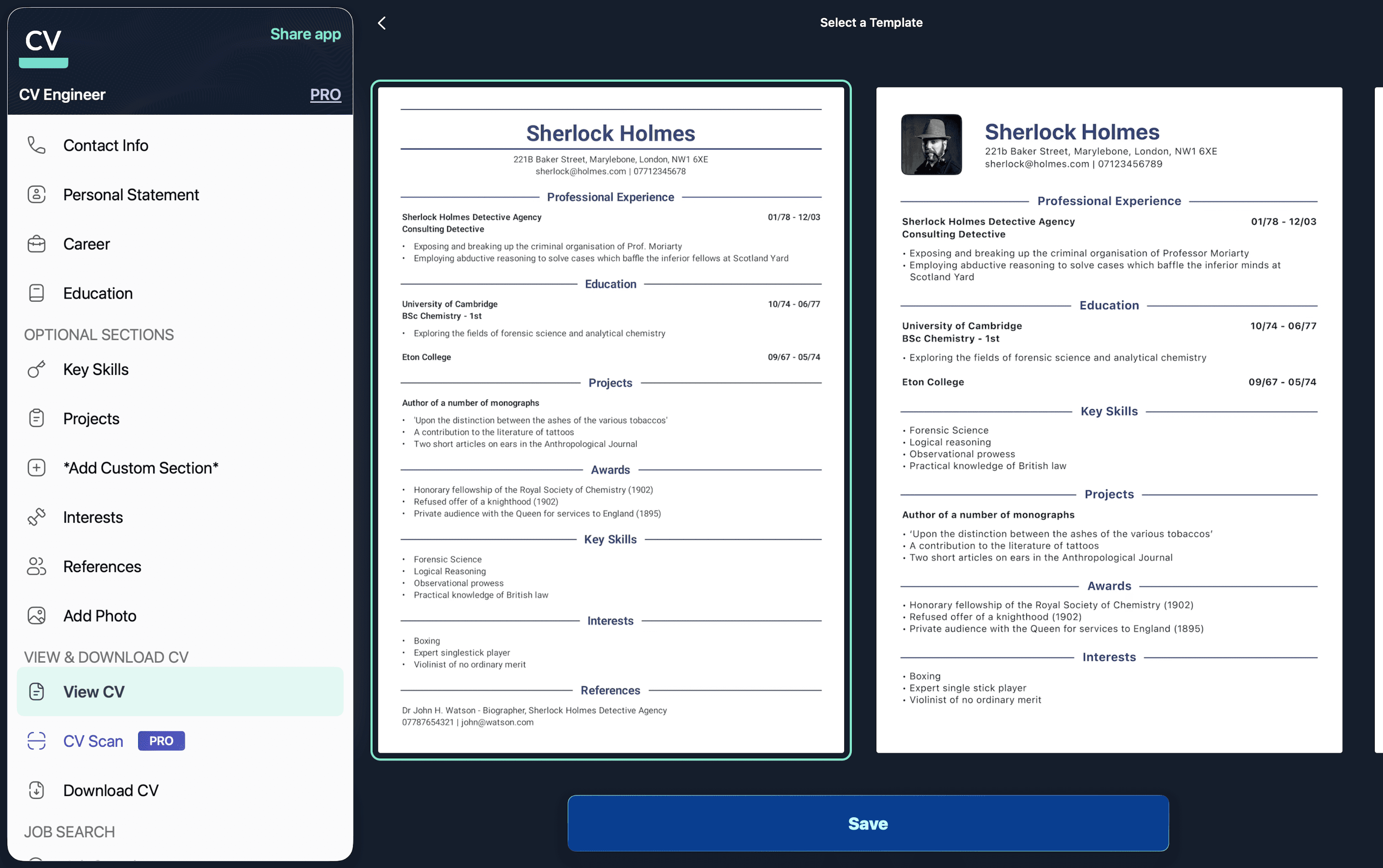
Building a resume is personal. One of the reasons there are so many competing resume maker apps is none of them feel "just right" or work for everyone.
If you’re completely new to resume writing, you can also read our guide on how to make a resume on Mac before choosing a resume builder app.
Mac users are particular about the software they use. It's why they're prepared to pay a premium for a Mac. Software on a Mac looks and feels a certain way, and that usually stays consistent between different apps.
The problem then, is apps that aren't designed specifically for macOS can just feel wrong. Menus, notifications, and keyboard shortcuts don't work as expected. It doesn't matter how popular the app is on Windows, if it doesn't respect macOS conventions, it'll disrupt people's workflows. This is particularly true now that Apple has introduced its liquid glass UI on macOS 26.
I've been a Mac user, recruiter, and software engineer. I've thought about all these factors while I tested every Mac resume builder app I could find. Here are the best resume maker apps for macOS Tahoe.
The best macOS resume builders at a glance
Best for | Standout feature | Pricing | |
|---|---|---|---|
Blend of powerful features with elegant design | Advice and examples written by a professional recruiter | $6.99/month | |
Multi-column resumes | Huge selection of languages | $12.99/month or $64.99 for lifetime access | |
Creating multiple resumes | View your resume live as you're writing it | $16.99 for lifetime access | |
Resumes with large profile picture | Powerful formatting tools for fonts, images, and colors | $14.99/month |
What makes the best resume builder app for Mac?
Our best apps roundups are written by people who've spent much of their careers using, testing, and writing about recruitment software. We spent hours researching and testing apps, using each resume builder on macOS Tahoe and evaluating it against our recruitment software criteria.
There's a huge range of Mac resume builder apps, all looking to serve different kinds of users. Some are simple forms which output a PDF resume, while others use advanced AI to help rewrite your resume to sound more professional. Which one you prefer will boil down to personal taste but, in my opinion, the best Mac resume builder apps need to do the following:
Offer a native macOS experience. This includes supporting native macOS features like widgets and notifications, but also extends to the general feel of the app.
Make it fast to add and update your career info. Ideally with plenty of keyboard shortcuts and similar features.
Format your career info into a professional resume document. You want the app to output a beautifully formatted, easy-to-read resume.
Advice and examples. Writing a resume can be a daunting task. You want advice to guide you through the process and examples to give you ideas on what to write.
Thoughtful use of AI. AI made huge strides over the last 12 months, and can now be a very capable writing assistant. The best resume builder apps integrate it with care, enhancing your resume without feeling like they're taking over the process.
All of the apps in this article offer a free trial in some form, so try out any that look useful to you. Some apps are great for ease of use while others offer extensive formatting options.
Best resume builder for macOS Tahoe with a blend of powerful features and clean design
CV Engineer
CV Engineer pros:
Manages to feel light and minimalist while still packing in the resume creation features
Built by a former recruitment consultant who knows what hiring managers look for
Advice and examples to guide you through the resume writing process
Available in 10 languages including English, Dutch, French, German, Italian, Indonesian, Norwegian, Portuguese, Spanish, and Turkish
CV Engineer cons:
No web version
Resume builder apps usually fall into one of two categories: the complex and the minimalist. CV Engineer is somehow both.
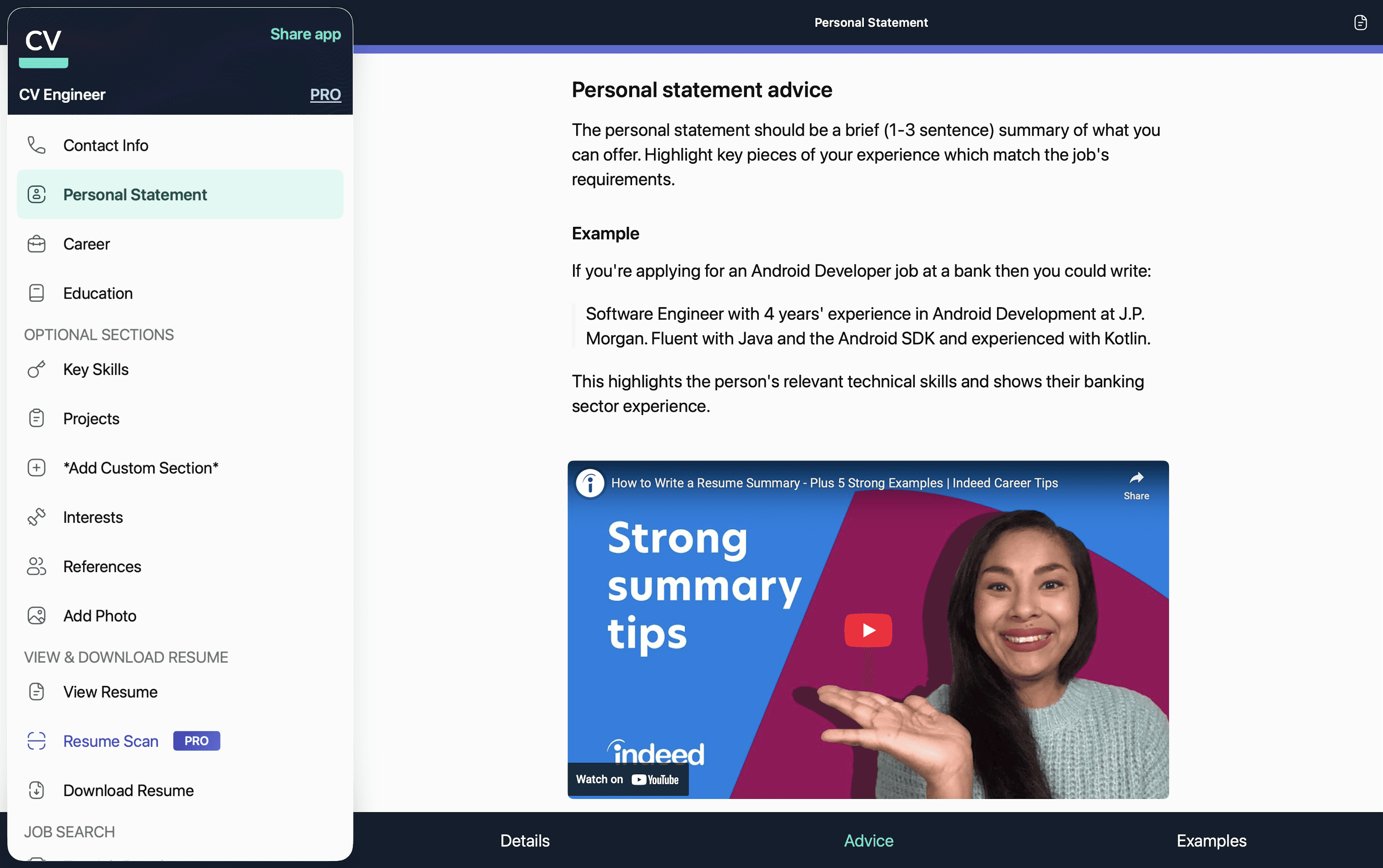
Open CV Engineer for Mac, and it looks simple. You have one screen per resume section to input your details. Dig a little deeper however, and there are advanced tools here too. There's an AI Assistant which helps rewrite each section of your resume to sound more professional. It also corrects spelling and grammar. A Resume Scan tool checks your resume for common mistakes that could lead to your application being auto-rejected by Applicant Tracking Systems.
Other applications offer features like this, but CV Engineer manages to do so without feeling cluttered. And as a native application with no Windows or web equivalent, CV Engineer feels at home on macOS. This is particularly true after their macOS 26 update, which integrates Apple's new liquid glass look.
The key selling point though, is the advice and examples for each resume section. These were written by a professional recruitment consultant to help users standout to hiring managers.
Here's a guide on how to make a resume on Mac with CV Engineer.
Download CV Engineer for macOS
CV Engineer price: You can use the macOS version for free to build your resume. They also offer a Pro version, which costs $6.99/month, that includes tools to help maximize your resume's success.
CV Engineer has been featured in multiple "Best resume builder" lists by sites including Wired, CNET, and Popular Science.
Best resume builder for Mac with multi-column resume templates
CV Maker - Resume Builder
CV Maker - Resume Builder pros:
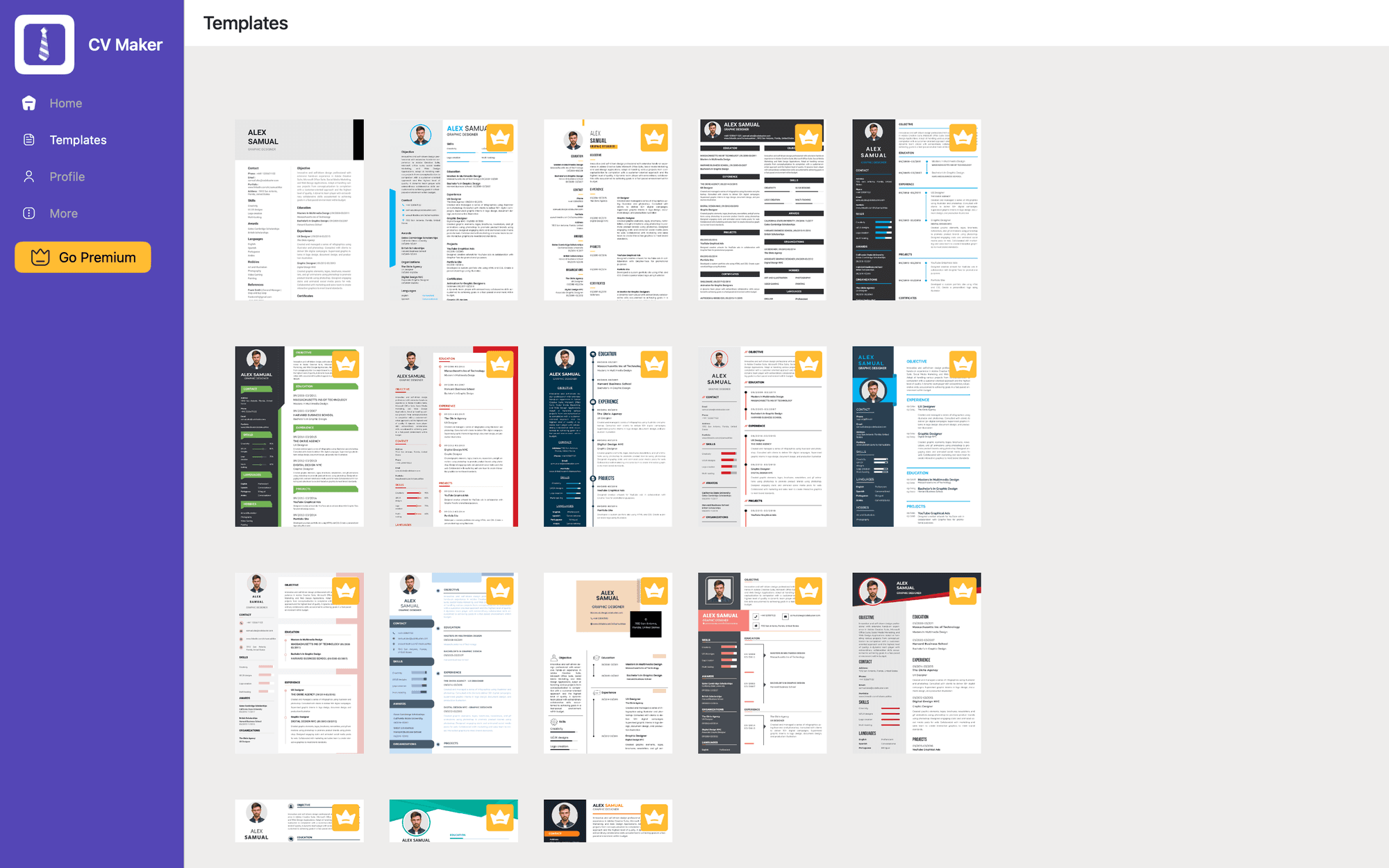
2 column resume templates (see image above)
Huge selection of languages
CV Maker - Resume Builder cons:
UI feels dated
Premium templates will include a watermark on your resume unless you upgrade to their Premium offering
Some people prefer a 2 column resume template, as they feel it's the most effective way of fitting their career info onto 1 page. If you're one of those people, this app has a great template selection.
The app's UI is simple, meaning it doesn't take long to get up to speed. There are forms for each resume section, including Objective, Work Experience, and Education. Input your info and this app will format it into a multi-column resume in no time.
If you're the kind of Mac user who likes their software to be beautiful as well as functional, you may want to take a look at the other apps on the list. CV Maker - Resume Builder is in need of a design refresh!
Download CV Maker - Resume Builder
CV Maker - Resume Builder price: You can use this app for free but some premium templates will include a watermark unless you upgrade. The Premium package is priced at $12.99/month or $64.99 for lifetime access.
Best resume builder for Mac that always displays your resume as you're writing it
Professional Resume Builder
Professional Resume Builder pros:
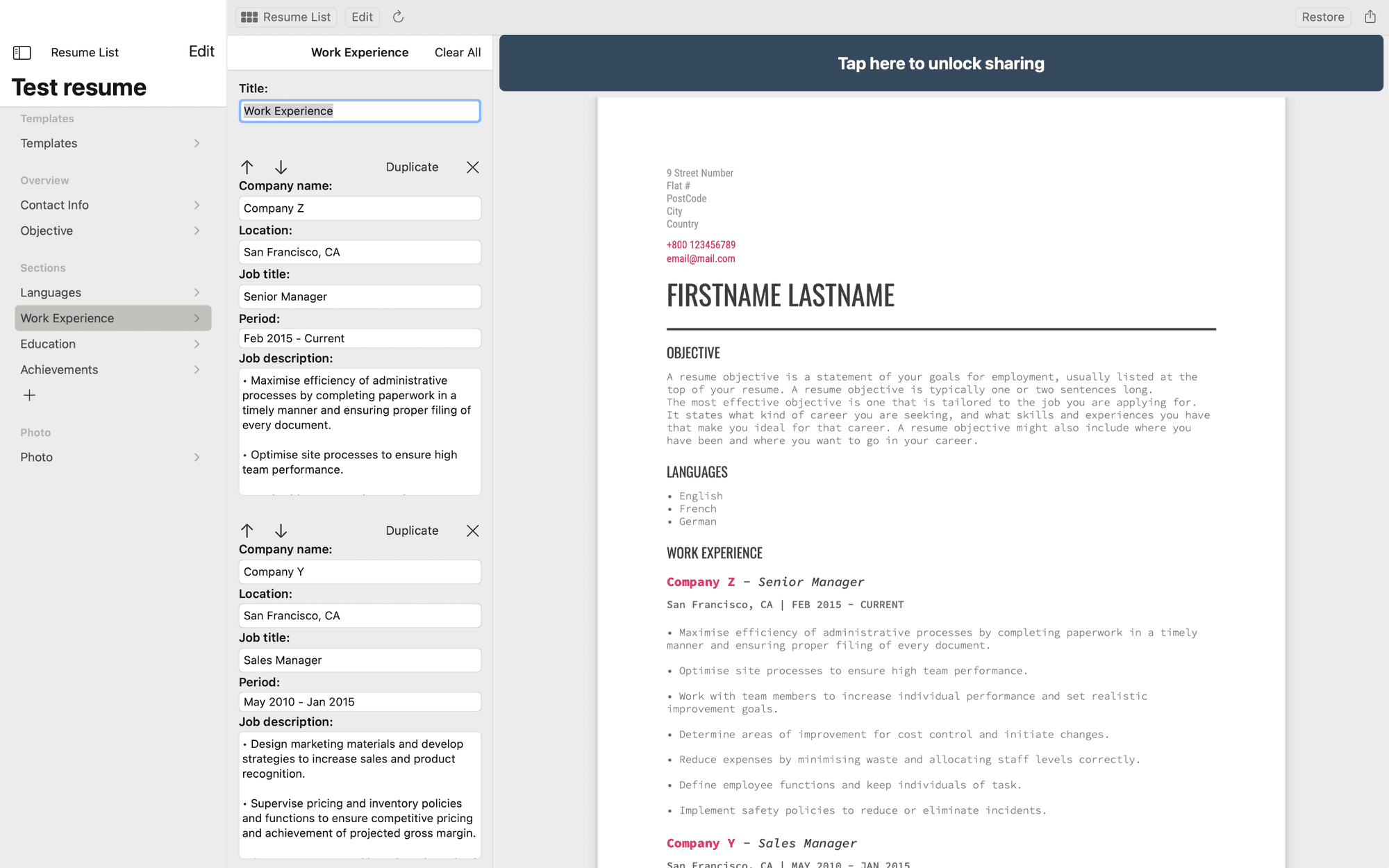
View your resume template as you're inputting your career info. Handy if you're trying to limit your resume to 1/2 pages
Create and save more than 1 resume
Professional Resume Builder cons:
You can create your resume for free, but you can't download it for free. There's a one-time charge to unlock downloads (see pricing below)
Limited selection of resume templates
There are times when it's useful to have multiple different versions of your resume. For example, if you're a recent graduate applying for jobs in 2 different fields. If that's you, then Professional Resume Builder is worth checking out. You can create and save as many resumes as you want.
The other main selling point of this app is that you can always view your resume. It's ever present on the right-hand side of your screen. This allows you to keep an eye on the length and format of your resume as you're writing it. Useful if you're trying to limit your resume to 1 page (which some job adverts require).
There is an obvious downside however. While it's free to create as many resumes as you want, it's not free to download them. You have to pay a one-time fee to unlock downloads.
Download Professional Resume Builder
Professional Resume Builder price: There's a one-time $16.99 cost to unlock your resume once it's built.
Best resume builder for Mac that features templates with large profile pictures
CV Master
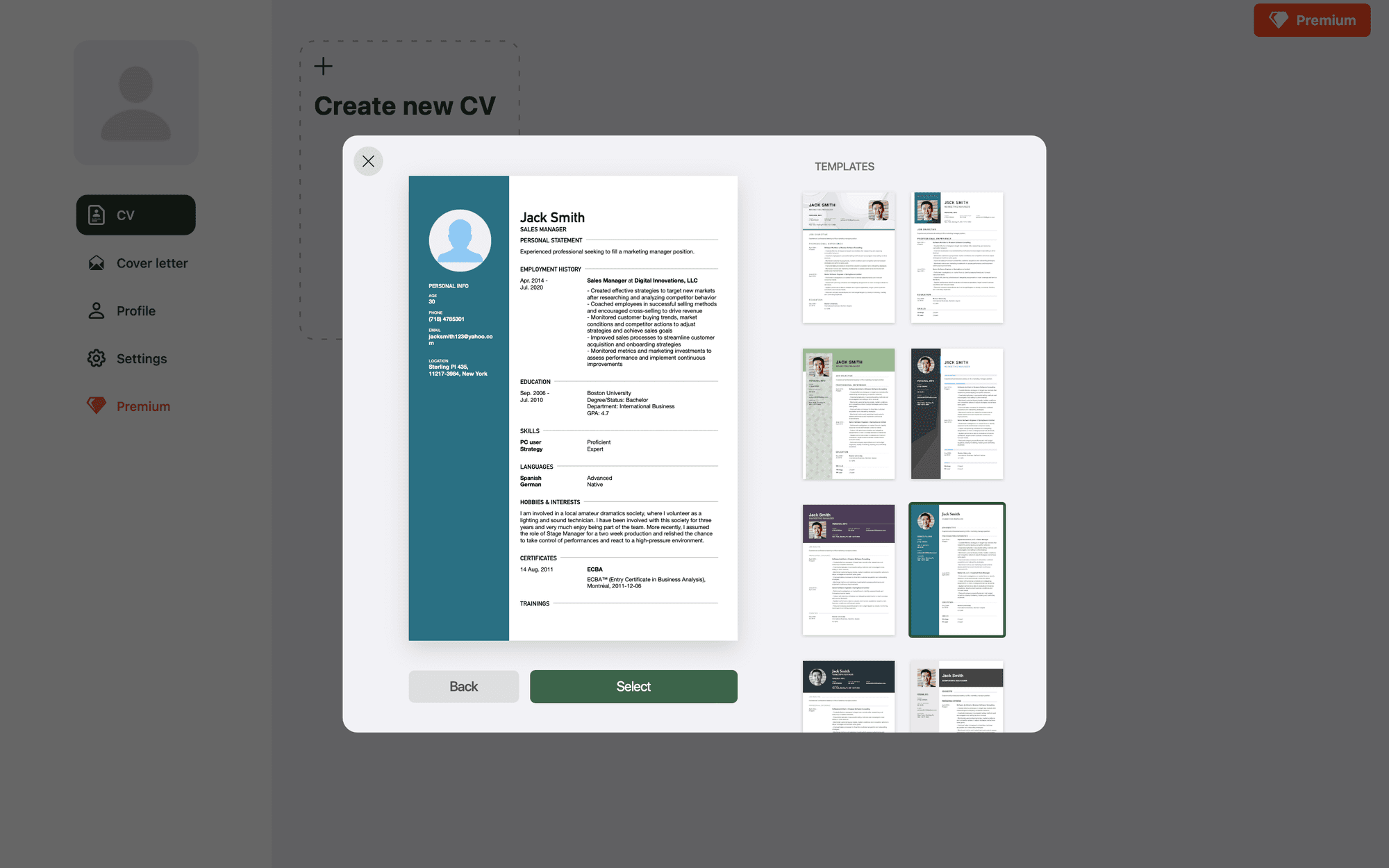
CV Master pros:
Resume templates all include a large profile picture
Options to change the formatting of your resume including background picture, colors, fonts, columns, and profile picture location
CV Master cons:
Resumes include a watermark unless you upgrade to their Premium plan
Free version includes adverts
In some countries and professions, it's normal to include a profile picture on your resume. If that's the case for yourself, then CV Master includes a range of templates with large profile pictures to show yourself off.
The other key advantage of CV Master is their formatting options. You can move the profile picture around the page. Fonts, colors, and even background pictures can be edited to create a resume that matches your personality and chosen profession.
One thing to watch out for is that while you can create your resume for free, it will include a watermark unless you upgrade to their Premium package.
CV Master prices: Premium offering costs $14.99/month.
Best resume builders for MacBooks by use case
Use Case | Best App |
|---|---|
Best overall | CV Engineer |
Best multi-column templates | CV Maker |
Best for multiple resumes | Professional Resume Builder |
Best for visual resume templates | CV Master |
Why native macOS resume apps are better than web builders
Many resume builders today run entirely in the browser, but native macOS apps often provide a noticeably better experience for Mac users. If you spend most of your day working on a MacBook or iMac, a native resume app can feel faster, smoother, and more reliable than a web-based editor.
If you want a step-by-step walkthrough, our guide to making a resume on Mac covers everything from choosing a template to exporting an ATS-friendly PDF.
Better performance and responsiveness
Native Mac apps are optimized for macOS and Apple Silicon chips. This usually means:
Faster startup times
Smoother editing
Better scrolling performance
No browser slowdowns or tab crashes
For large resumes or frequent editing sessions, native apps generally feel more polished than browser-based tools.
More reliable PDF exports
Resume formatting matters, especially when applying through Applicant Tracking Systems. Native macOS apps often generate cleaner, more consistent PDF files than web apps, reducing the risk of broken layouts, font issues, or spacing problems when recruiters open your resume.
Offline editing support
One advantage of native resume apps is that many continue working without an internet connection. This makes it easier to update your resume while traveling, commuting, or working in places with unreliable Wi-Fi.
Better integration with macOS
Native Mac apps can integrate naturally with features already built into macOS, including:
Drag and drop
Finder file management
Keyboard shortcuts
Dark mode
iCloud file syncing
These small details make the overall experience feel more seamless for MacBook users.
Improved privacy and local file control
Many browser-based resume builders rely heavily on cloud storage and online accounts. Native apps often provide more control over where your resume files are stored, making it easier to keep documents locally on your MacBook if you prefer not to upload sensitive personal information to a web service.
Other options for a resume builder on Mac
I tried a load of different types of resume maker apps for this article, so here are a few more options for you to consider if you're not concerned about keeping your resume on a dedicated resume builder app:
Pages is Mac's native word processor app. It's not specifically designed to create resumes, but if you're confident in your design skills then it's a solid option. They still have some work to do when it comes to integrating AI into the writing process however.
Rezi is a popular web-based resume builder powered by AI. It doesn't have the native feel of a Mac app and it's pricey at $29/month. However, if you want a tool that you can use across both Mac and Windows devices, it's a good choice.
And of course, there's always the pen and paper option. Although it may look a touch old school. You're definitely better off printing a hard copy of your computer-generated resume if you're looking to hand out physical resumes.
Not sure where to start? Read our full guide on how to create a resume on Mac, including formatting tips, ATS advice, and resume examples.
Frequently asked questions
What is the best resume builder for Mac?
Are there any native macOS resume builder apps?
Is Pages good for making resumes on Mac?
What resume format works best with ATS systems?
Can I create a resume on Mac for free?
Which Mac resume app has AI features?
Are web resume builders worse on macOS?
Download CV Engineer for FREE
Scan to download

