Best Free Resume Builder for Mac (2026 Guide)

We tested the most popular resume builders for macOS to find the ones that actually let you create professional ATS-friendly resumes for free.
If you're trying to find the best resume builder for your Mac, I'm sure you've noticed a problem. Most resume makers are browser-first, rather than macOS native.
Some of these tools are full of adverts. Others make a visually impressive resume but fail the Applicant Tracking System (ATS) software checks that employers run.
In this guide, we tested the best resume makers built specifically for Mac and compared them based on:
macOS Tahoe experience
ATS compatibility
PDF export quality
Resume template selection
Ease of use
AI features
Whether you're applying for your first job or polishing your existing resume for that next promotion, these are the best options for editing your resume on your MacBook.
Quick answer: the best free resume builder for your MacBook
For most people, the best option for creating your resume on Mac is CV Engineer, as it combines:
Native macOS Tahoe experience
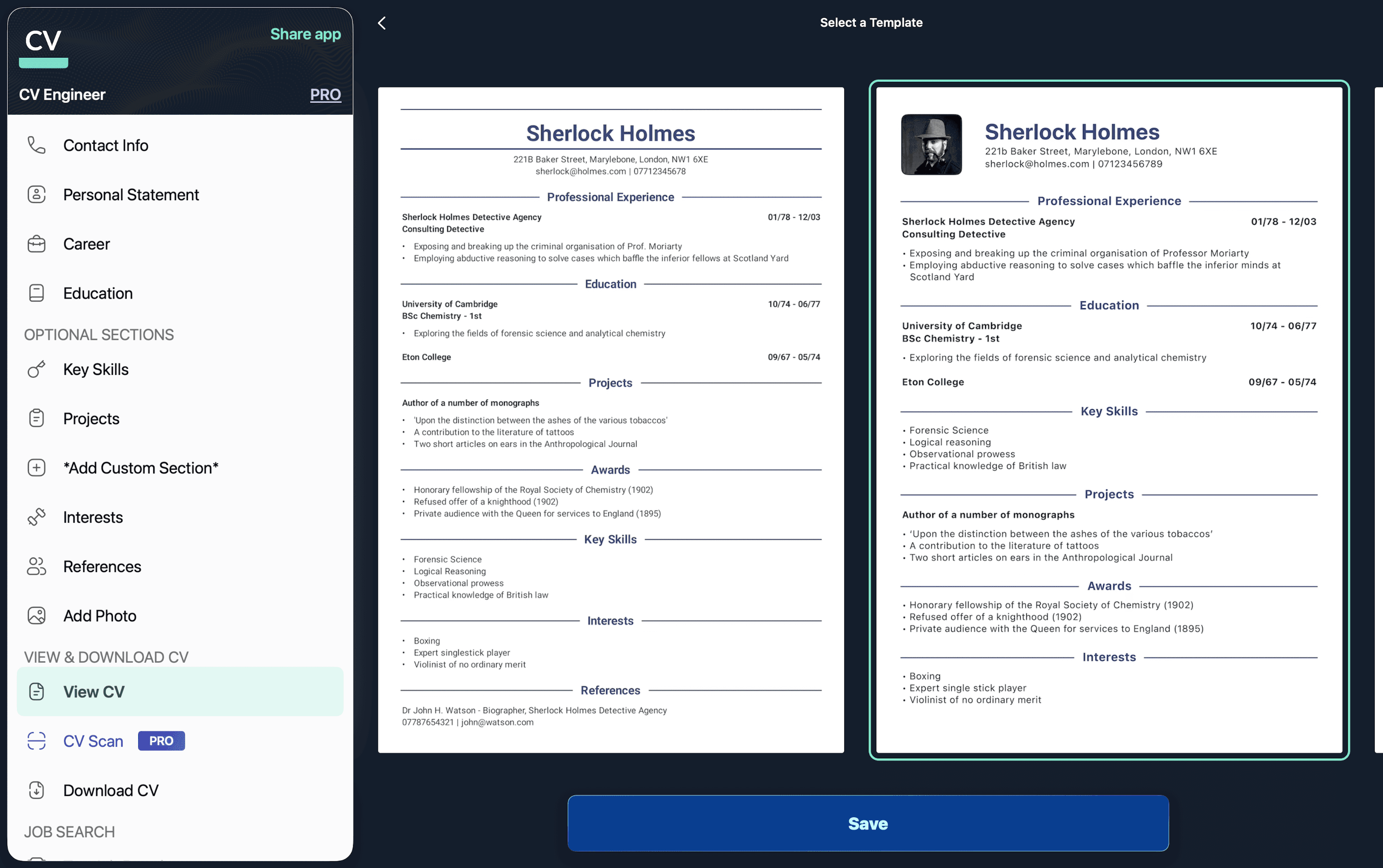
ATS-optimized templates designed by a professional recruiter
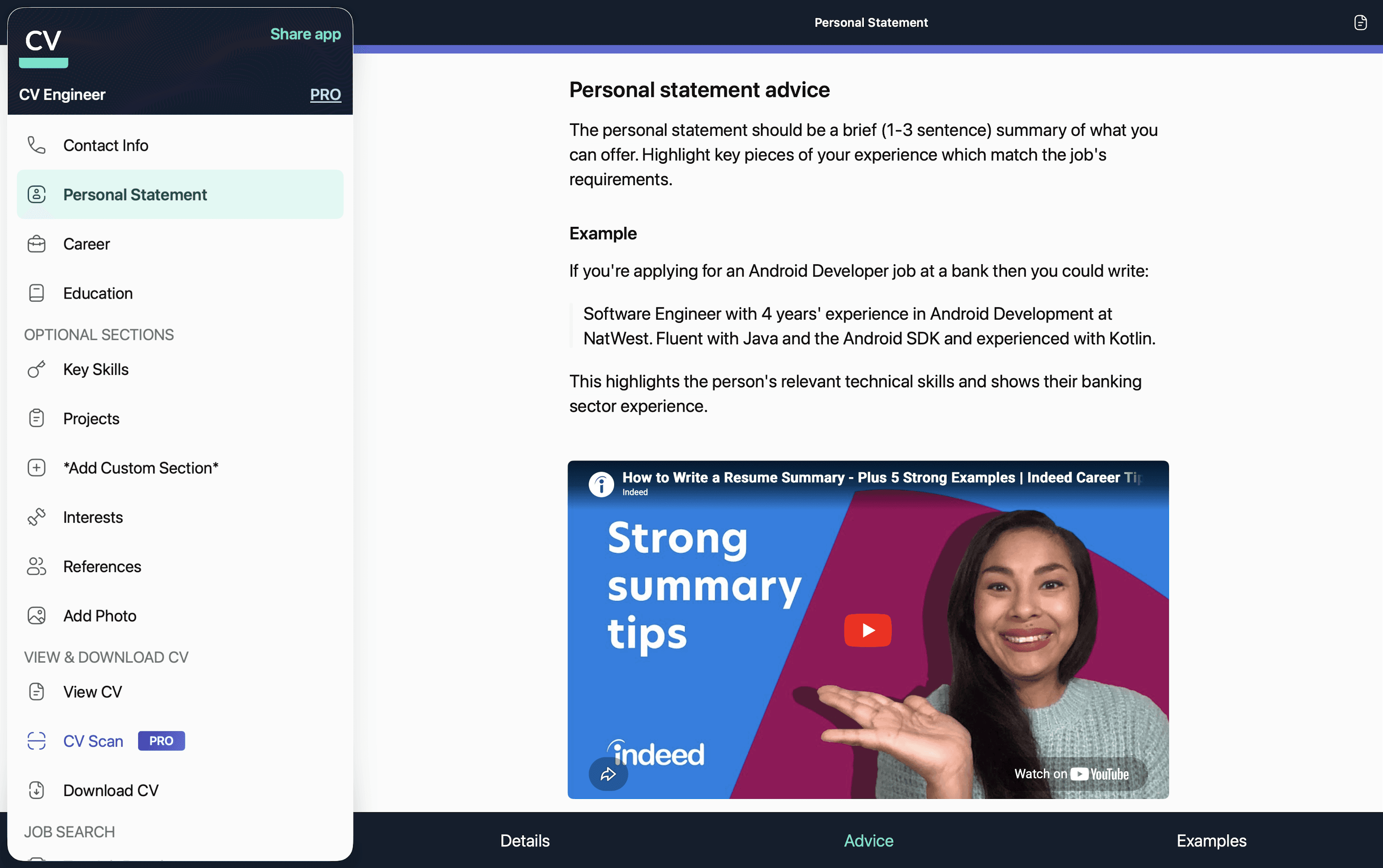
Resume advice and examples, also written by a recruitment consultant
AI tools to help make your resume sound professional
PDF export
Works offline
If you want an easy-to-use resume builder on your MacBook which works offline and avoids the formatting issues of Word or Pages, then this is the best option available.
App | Native Mac app | ATS-friendly | Free PDF export | AI features | Best for |
|---|---|---|---|---|---|
Yes | Yes | Yes | Yes | Most users | |
Yes | Mostly | Yes | No | Manual editing | |
No | Sometimes | Yes | Some | Creative templates | |
No | Yes | Limited | Yes | Template variety |
What makes a great native resume builder for Mac?
Before we compare apps, it's important to understand what matters when creating your resume.
This guide was written by Matthew Callery, a former recruitment consultant and software engineer who has tested resume builders across macOS, iOS, Android, and web platforms.
Formatting for the ATS
Unfortunately a lot of companies, particularly large employers, use Applicant Tracking Systems (ATS) to scan and filter job applications. A good resume maker should:
Generate a clean PDF document so the ATS can easily ingest the information
Avoid using templates with multiple columns or tables
Use an understandable date format
Native macOS experience
Browser based resume tools can be slow, particularly ones that allow live editing of the resume document. It was particularly frustrating during our testing to lose whole resume sections due to a blip in internet connectivity.
MacBook users often want:
Offline support (particularly if you'll be writing while travelling)
Responsive performance even when the internet connection is poor
Keyboard shortcuts
Runs smoothly on Apple Silicon
Professional templates that aren't over-designed
Recruiters and hiring managers care most about the readability of a resume. Flashy graphics or complex multi-column layouts can actually detract from your professional experience. A resume should read like a book, one column of text with clear paragraphs and margins.
The best resume templates therefore:
Look professional
Are easy to quickly scan for key information
Contain plenty of whitespace to break up sections
Easy PDF export
The finished resume that you download should:
Export cleanly as a PDF document
Preserve formatting to help with ATS parsing
Print correctly if you want hard copies
Open without issues across all devices (Mac, Windows, etc.)
The best free resume builders for Mac
CV Engineer for macOS
Best overall free resume maker for macOS Tahoe
CV Engineer is a native macOS resume builder app available on the Mac App Store.
It was built by a former recruiter to help job seekers quickly create a professional resume without needing design skills. Unlike many resume builders, it focuses on what recruiters actually want to see.
Pros:
Native app built specifically for macOS Tahoe
ATS-friendly templates designed by a professional recruiter
AI writing assistant to make sure your resume sounds professional and is error free
Advice and examples written by a recruiter to guide you through writing your resume
Simple interface that feels Mac native
Cons:
Minimalist resume template designs may not suit creative industries
Less visual customization than design-led tools like Canva
Best for:
Students and recent graduates
Software engineers (the app was built by a macOS engineer)
Business professionals
Anyone looking to quickly make a simple, professional resume
Why it stands out
Most resume builders optimize for visual template designs. CV Engineer is optimized to get you more job interviews. The templates are intentionally clean and easy to scan, which improves both ATS parsing and recruiter readability.
You can download CV Engineer directly from the Mac App Store here:
Download CV Engineer for Mac
Canva
Best for visually creative resume templates
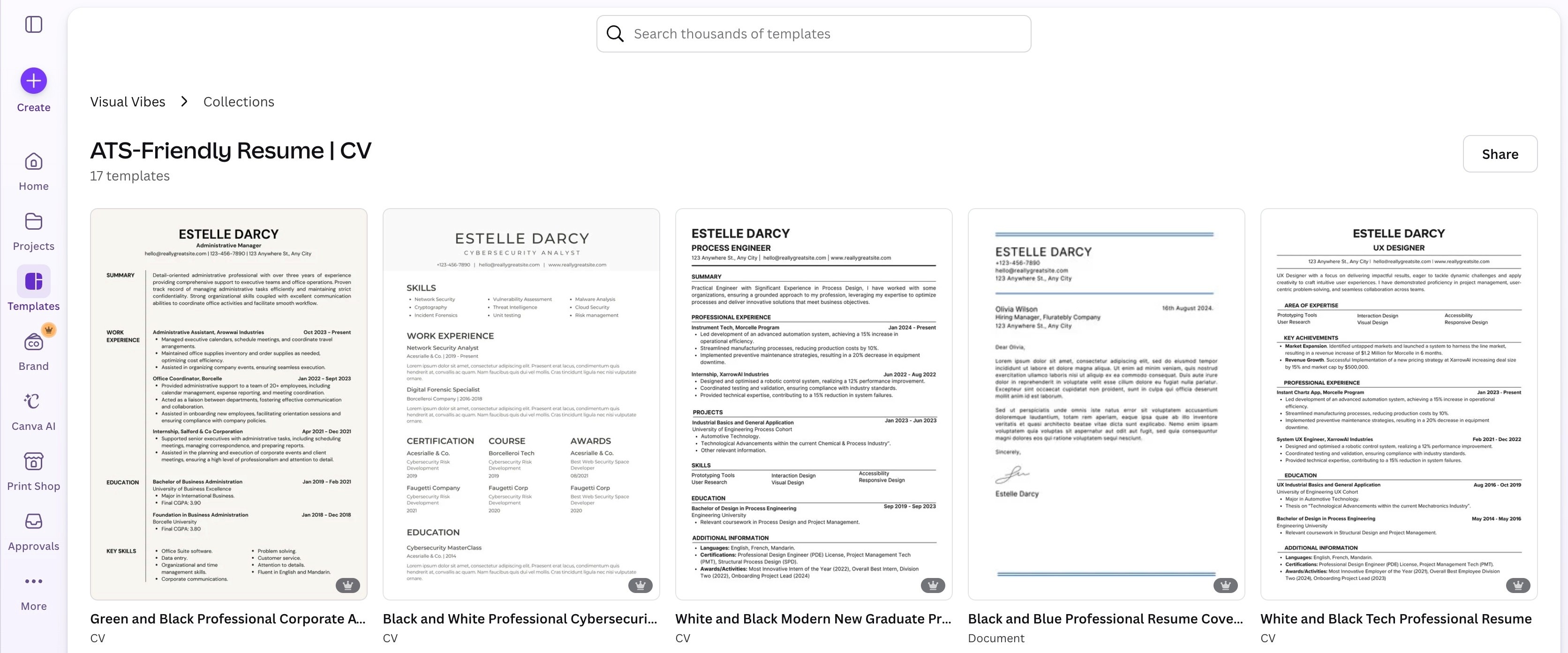
Canva is a design tool that is popular with job seekers in the creative industries. It offers beautiful templates and lots of customization.
Pros:
Huge library of resume templates
Drag-and-drop editing
Strong visual design tools
Great for design portfolios
Cons:
Many of the resume templates are not easy for ATS to scan
Easy to over-design your resume and wreck the readability
Does not have offline support
In our testing, Canva's highly visual templates often looked impressive but were more likely to create ATS parsing issues. For traditional job applications, simpler resume templates usually perform better.
Best for:
Designers
Marketing professionals
Creative and design portfolios
Apple Pages
Best free built-in option for Mac users
Pages is already installed on most MacBooks and it includes some resume templates. It has a steeper learning curve than Microsoft Word but the typography makes for a more attractive resume.
Pros:
Completely free
Native macOS Tahoe support
Beautiful typography
Offline support
Cons:
Manual formatting can be time consuming
Harder to maintain consistent spacing and make font changes that apply across the resume
No suggestions for ATS optimization
Best for:
Users comfortable editing and formatting documents themselves
Pages is a solid option if you use it regularly and know how to professionally format a resume already. Its built-in resume templates often broke during testing when we tried to customize their formatting.
Kickresume
Best for template variety
Kickresume has a large selection of resume templates to choose from and also has AI writing assistance built in.
Pros:
Large selection of attractive templates
AI features
Cover letter support
Cons:
Many features are locked behind its premium plan
Some resume templates prioritize visuals over readability
Best for:
Users who want more visually appealing templates
Kickresume's YouTube channel has lots of videos to help with writing your resume, even if you don't end up using their app.
Why Mac users often struggle writing resumes
A common problem for macOS users is trying to create a resume using:
Microsoft Word
Pages
Google Docs
This often leads to inconsistent formatting and sometimes file formats that render differently on other operating systems.
Dedicated resume makers solve these problems by generating properly structured documents automatically.
Is a free resume builder good enough?
For most people, yes. You don't need expensive software to create a professional resume.
The best free resume builders apps will allow you to:
Create at least one resume for free
Export the PDF file without a watermark
Customize each resume section
Use a professional template
Premium features are useful, particularly those that check your resume for mistakes. Many users also upgrade to access more visually appealing templates.
How to pick the best resume builder for Mac
Here's a simple guide to help select the best resume tool for your needs.
Choose CV Engineer if you want:
ATS-friendly resume templates that are also easy for recruiters to read
Simple, fast resume creation
Advice and examples from a professional recruiter
Offline support
Choose Canva if you want:
Highly visual resume templates
Creative flexibility
Portfolio-style layouts
Choose Pages if you want:
A completely free solution
Full document editing control
Use case | Best option |
|---|---|
Best overall | |
Best free built-in app | |
Best for creative resumes | |
Best AI features |
Frequently asking questions
What is the best free resume builder for Mac?
Can I create a resume on MacBook for free?
Do resume builders make ATS-optimized documents?
Is Pages good for resumes?
The best free resume builder for macOS depends on what you value most
If you want maximum design flexibility, Canva is a strong option. If you're looking for a fully manual but free solution, Pages works well.
However, if your aim is to create a professional, ATS-friendly resume quickly, CV Engineer is the strongest choice available on macOS Tahoe in 2026.
If you need help getting started, here is a guide on how to create a resume on your MacBook.
Download CV Engineer for FREE
Scan to download

